Last Updated: January 8, 2026 | Reading Time: 8 minutes
Are you tired of watching money slip through your fingers? Forgotten subscriptions, overpaying for bills, and mystery charges draining your bank account month after month? You’re not alone. According to recent data, the average American wastes over $1,000 annually on forgotten subscriptions and unnecessary fees.
But here’s the good news: artificial intelligence has revolutionized how we manage money. AI-powered banking apps now do the heavy lifting for you—tracking spending, canceling subscriptions, negotiating bills, and automatically saving money based on your unique habits.
In this comprehensive guide, I’ll reveal the 7 best AI banking apps that have helped real users save thousands of dollars in 2026, complete with features, pricing, and honest pros and cons.
Why AI Banking Apps Are Game-Changers in 2026
Traditional budgeting failed because it required constant discipline and manual tracking. AI banking apps succeed because they work with your behavior, not against it.
Here’s what makes AI banking revolutionary:
Real-Time Intelligence: AI systems now detect spending patterns, predict low-balance risks, identify subscription stacking, and flag fraud anomalies before losses occur
Automated Protection: Instead of manually reviewing statements, AI alerts you to unusual charges, forgotten subscriptions, and opportunities to save—all without lifting a finger.
Behavioral Learning: These tools learn your spending habits and spot money-wasting patterns you’d never catch yourself
24/7 Financial Advisor: Think of them as a financial advisor who works around the clock in your pocket—minus the expensive hourly fee

The 7 Best AI Banking Apps to Save Money in 2026
1. Rocket Money – Best AI Banking App for Subscription Management
Monthly Savings Potential: $50-$100 on forgotten subscriptions alone
Rocket Money (formerly Truebill) is one of the most popular AI banking apps for subscription cancellation. The company reports saving users more than $2.5 billion since 2016, making it a proven leader among AI banking apps.
Key Features:
- AI-powered transaction scanning identifies all recurring charges
- One-click subscription cancellation (no calling customer service)
- Bill negotiation service for cable, internet, phone bills
- Smart Savings feature uses AI to determine safe transfer amounts
- Spending analysis and budget tracking
- Credit score monitoring
Pricing:
- Free version: Basic subscription tracking
- Premium: $6-$12/month (pay-what-you-want model)
- Bill negotiation: 35% of savings secured
Real Results: User Sarah M. reported: “Rocket Money found three subscriptions I completely forgot about—$47/month total. That’s $564 saved yearly just from cancellations.”
External Resource: Learn more about Rocket Money at rocketmoney.com
2. Cleo – Best AI Banking App with Personality-Driven Savings
Monthly Savings Potential: 15-20% increase in savings rate compared to manual methods
Cleo stands out among AI banking apps by using conversational AI that makes financial management engaging rather than stressful. This AI banking app has helped millions build emergency funds through automated, behavioral-based savings.
Key Features:
- AI chatbot answers questions like “Can I afford this purchase?”
- Multiple automated savings methods (roundups, smart save, goal-based)
- Savings account earning up to 3.33% APY
- Cash advances up to $250 (no interest, no credit check)
- Real-time spending breakdowns by category
- Credit score monitoring
Smart Savings Options:
- Set and Forget: Automatic weekly AI-determined transfers
- Roundups: Saves spare change from every purchase
- Smart Save: AI calculates affordable amounts based on bills
- Swear Jar: Penalty savings when you shop at trigger stores
Pricing:
- Free version: Basic tracking and budgeting
- Cleo Plus: $5.99/month
- Cleo Pro: $8.99/month
- Cleo Builder: $14.99/month (includes credit building)
External Resource: Download Cleo at meetcleo.com
3. Erica by Bank of America – Best Free AI Banking App
Monthly Savings Potential: Varies based on account activity and spending patterns
For Bank of America customers, Erica represents one of the most sophisticated AI banking apps available at zero additional cost. This virtual financial assistant demonstrates how major banks are integrating AI technology.
Key Features:
- Proactive alerts about upcoming bills and potential overdrafts
- AI-powered insights on spending patterns and trends
- Voice-activated banking commands
- Transaction search and dispute assistance
- Personalized financial recommendations
- Credit card rewards optimization
Unique Advantage: Erica is completely free for Bank of America account holders, making it the most accessible among premium AI banking apps.
External Resource: Bank of America customers can activate Erica through the Bank of America mobile app
4. Albert – Best All-in-One AI Banking App
Monthly Savings Potential: $200-$500+ through comprehensive management
Albert combines multiple financial services into one of the most comprehensive AI banking apps available. Unlike single-purpose apps, Albert handles budgeting, saving, investing, and financial advice in one platform.
Key Features:
- Automatic budgeting with AI expense categorization
- Smart savings that analyzes income fluctuations
- Investment portfolios managed by human advisors
- Cash advances up to $250 (instant access)
- Bill negotiation services included
- Access to financial advisors via chat
AI Intelligence: Albert’s AI continuously monitors your financial life, predicting upcoming expenses, identifying saving opportunities, and adjusting recommendations based on changing circumstances.
Pricing:
- Albert Genius: $14.99/month (includes all features)
External Resource: Sign up for Albert at albert.com
5. PocketGuard – Best AI Banking App for Budget Clarity
Monthly Savings Potential: $100-$300 through improved spending awareness
PocketGuard solves the fundamental budgeting question: “How much can I safely spend right now?” This AI banking app calculates your available spending money after accounting for bills, goals, and necessities.
Key Features:
- “In My Pocket” feature shows real-time spendable cash
- AI-powered bill tracking and payment reminders
- Subscription detection and cancellation
- Category-based spending limits
- Debt payoff planning tools
- Net worth tracking
Pricing:
- Free version: Basic tracking
- PocketGuard Plus: $12.99/month or $74.99/year
External Resource: Try PocketGuard at pocketguard.com
6. Trim – Best AI Banking App for Bill Negotiation
Monthly Savings Potential: $50-$200 on monthly bills
Trim specializes in one thing: reducing your bills through AI-powered negotiation. As one of the pioneer AI banking apps focused on bill optimization, Trim has negotiated millions in savings for users.
Key Features:
- Negotiates cable, internet, phone, insurance bills
- AI scans for better pricing plans
- Subscription cancellation service
- Credit score monitoring
- Spending trend analysis
Success Rate: Trim achieves 20-30% savings on successfully negotiated bills, with no upfront cost to users.
Pricing:
- Free to use
- Takes 33% of first year savings on negotiated bills
- No recurring subscription fees
External Resource: Start saving with Trim at asktrim.com
7. Plum – Best AI Banking App for Automated Wealth Building
Monthly Savings Potential: Varies based on income and spending patterns
Plum combines savings automation with investment options, making it one of the most forward-thinking AI banking apps for long-term wealth building.
Key Features:
- AI algorithms analyze spending and automate optimal savings
- Automatic investment in low-fee index funds
- Round-up savings on purchases
- Goal-based savings buckets
- Smart rules and triggers for saving
Investment Features:
- Fractional shares
- Automatic portfolio rebalancing
- Multiple investment themes
Pricing:
- Free version: Basic savings automation
- Plus plan: Small monthly fee for investing features
External Resource: Explore Plum at withplum.com
How AI Banking Apps Use Technology to Protect Your Money
Understanding the technology behind AI banking apps helps you maximize their benefits and trust their recommendations.
1. Machine Learning & Pattern Recognition
AI banking apps use machine learning algorithms that analyze thousands of transactions to identify patterns invisible to human eyes. The AI learns your unique spending rhythms, detecting:
- Recurring unnecessary expenses
- Subscription renewal dates you’ve forgotten
- Spending triggers linked to specific locations or times
- Optimal savings windows based on income patterns
2. Predictive Analytics
Advanced AI banking apps now predict financial events before they happen:
- Low balance warnings 3-5 days in advance
- Upcoming bill reminders based on historical patterns
- Subscription renewal alerts
- Overspending risk notifications
This real-time monitoring provides predictive low-balance alerts and subscription stacking detection, preventing costly overdraft fees and duplicate charges.
3. Natural Language Processing (NLP)
Modern AI banking apps like Cleo use NLP to understand conversational queries. You can ask “Can I afford a $500 expense this month?” and receive accurate answers based on your upcoming bills and spending patterns.
4. Automated Decision-Making
The most sophisticated AI banking apps take autonomous actions with your permission:
- Transferring money to savings automatically
- Flagging suspicious transactions for review
- Adjusting budget allocations based on spending trends
- Initiating bill negotiation processes
Real User Results: How Much People Save with AI Banking Apps
Marcus, 35, Freelance Designer: “I tried three different AI banking apps and settled on Cleo for savings and Rocket Money for subscriptions. Between canceling forgotten subscriptions ($72/month) and Cleo’s automatic savings ($200/month), I’ve accumulated over $3,200 in one year.”
Jennifer, 42, Teacher: “These AI banking apps changed my financial life. Rocket Money found $60/month in subscriptions I’d forgotten, Trim negotiated my cable bill down $40/month. That’s $1,200 yearly savings without lifestyle changes.”
David, 29, Sales Representative: “I was skeptical about AI banking apps, but Albert’s automatic savings feature built a $2,400 emergency fund in 8 months. I never would have saved that manually.”
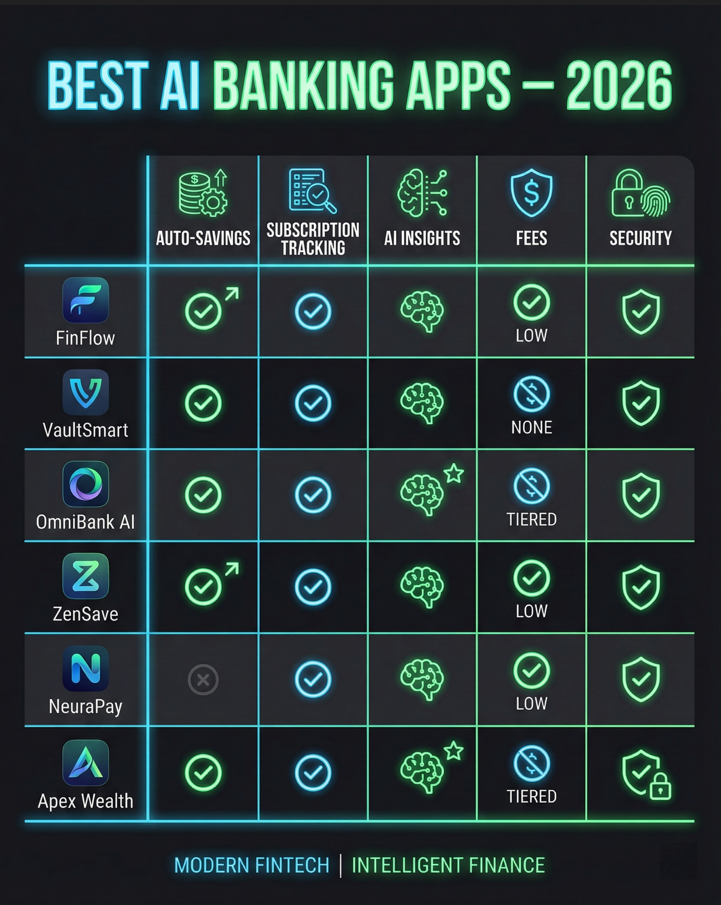
AI Banking Apps vs Traditional Banking: What’s the Difference?
Traditional banks offer basic account access and manual budgeting tools. AI banking apps go far beyond this by:
Traditional Banking:
- Passive account monitoring
- Manual categorization required
- Reactive fraud detection
- No spending predictions
- Basic alerts
AI Banking Apps:
- Proactive money management
- Automatic categorization
- Predictive fraud prevention
- AI-powered spending forecasts
- Intelligent, contextual alerts
The key difference: AI banking apps work for you 24/7, while traditional banking requires you to work constantly to manage finances manually.
Security & Safety: Are AI Banking Apps Secure?
Security is the top concern when considering AI banking apps. Here’s what you need to know:
Bank-Level Security Standards
Reputable AI banking apps employ:
✅ 256-bit SSL Encryption – The same security standard used by major banks ✅ Read-Only Access – Apps can view transactions but cannot move money without explicit permission ✅ Plaid Integration – Industry-standard secure banking connector used by Venmo, Robinhood, and major financial institutions ✅ No Password Storage – AI banking apps never store your actual banking passwords ✅ FDIC Insurance – Savings features through partner banks are FDIC-insured up to $250,000
What to Verify Before Using AI Banking Apps
Before downloading any AI banking apps, verify:
- Company Reputation – Check reviews on App Store, Google Play, Trustpilot
- Privacy Policy – Ensure they don’t sell your data
- Security Certifications – Look for SOC 2, ISO 27001 certifications
- Transparent Pricing – Avoid apps with hidden fees
Red Flags to Avoid: ❌ Apps requesting direct bank password entry (legitimate AI banking apps use secure third-party connections) ❌ No visible encryption or security information ❌ Suspicious reviews or unclear company background ❌ Requests for unnecessary personal information
External Resource: Learn more about Plaid security at plaid.com/safety
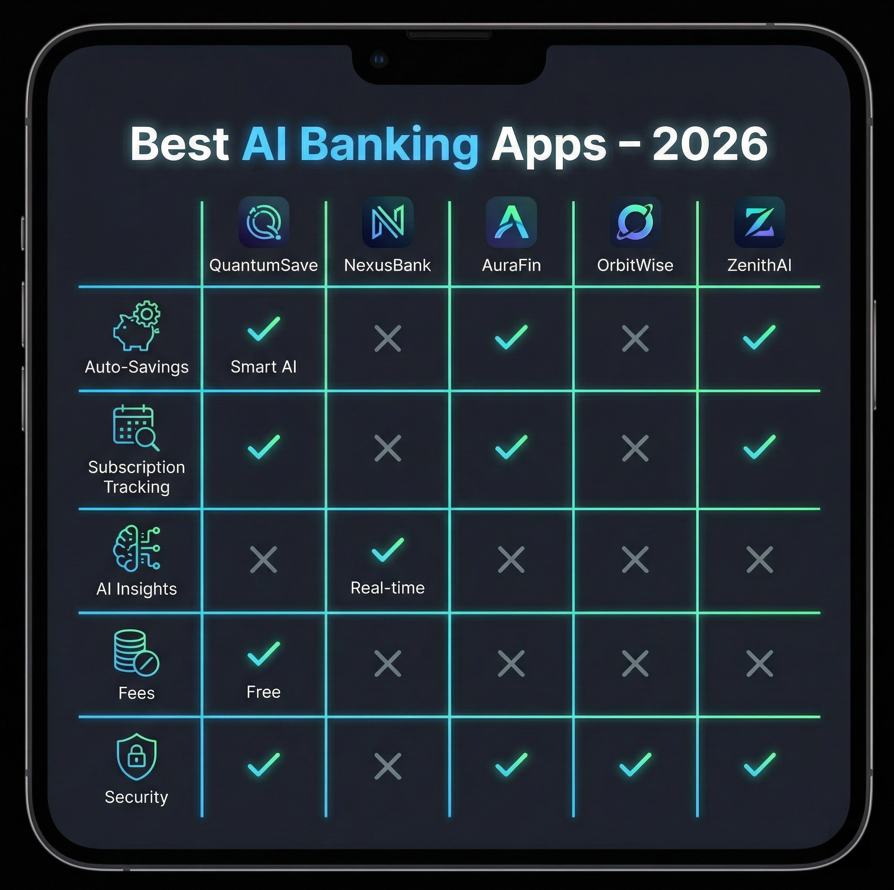
Which AI Banking App Should You Choose? Decision Framework
With so many AI banking apps available, here’s how to choose:
Choose Rocket Money if:
- You have multiple streaming services and subscriptions
- You suspect you’re overpaying for bills
- You want automated cancellation services
Choose Cleo if:
- Traditional budgeting never worked for you
- You want engaging, conversational AI
- You need automated savings without willpower
Choose Erica if:
- You’re a Bank of America customer
- You want a free, integrated solution
- You value proactive banking alerts
Choose Albert if:
- You want comprehensive financial management
- You’re willing to pay for premium features
- You need investing and advisory services
Choose PocketGuard if:
- You need clarity on available spending money
- You want simple, straightforward budgeting
- You prefer visual financial dashboards
Choose Trim if:
- You’re overpaying for cable, internet, or phone
- You don’t want to negotiate bills yourself
- You only want to pay if they save you money
Choose Plum if:
- You want savings that automatically invest
- You’re interested in wealth building
- You prefer hands-off financial growth
Step-by-Step Guide: Getting Started with AI Banking Apps
Step 1: Identify Your Biggest Money Problem
Before downloading AI banking apps, identify your primary financial challenge:
- Forgotten subscriptions draining your account?
- Inability to save consistently?
- Overpaying for monthly bills?
- Lack of spending visibility?
Step 2: Download Your Chosen AI Banking App
Select 1-2 AI banking apps from the list above that match your specific needs. Don’t overwhelm yourself by trying all seven simultaneously.
Step 3: Connect Your Accounts Securely
All reputable AI banking apps use Plaid for secure banking connections:
- Select your bank from the list
- Enter credentials through Plaid’s secure interface
- Grant read-only permission
- Verify connection
Step 4: Allow AI Analysis Period (7-14 Days)
AI banking apps need time to learn your patterns. During this period:
- Continue normal spending
- Don’t make unusual large purchases
- Let the AI observe your regular behavior
Step 5: Review AI Recommendations
After the analysis period, check what AI banking apps discovered:
- Subscription list and cancellation opportunities
- Bill negotiation potential
- Suggested savings amounts
- Spending pattern insights
Step 6: Enable Automated Features
Turn on key automation features in your AI banking apps:
- Automatic savings transfers
- Subscription monitoring alerts
- Bill negotiation services
- Spending limit notifications
Step 7: Monitor Results Monthly
Check your AI banking apps monthly to:
- Track total savings accumulated
- Review new AI recommendations
- Adjust automation settings if needed
- Celebrate financial wins
Common Mistakes to Avoid with AI Banking Apps
Mistake #1: Downloading Too Many Apps at Once
While AI banking apps can work together, starting with 5-7 apps simultaneously is overwhelming. Begin with 1-2 focused on your biggest problem.
Mistake #2: Not Allowing Sufficient Analysis Time
AI banking apps need 7-14 days to learn patterns. Users who check after 2 days and see no recommendations often abandon the app prematurely.
Mistake #3: Ignoring AI Recommendations
The biggest mistake: downloading AI banking apps but never acting on their suggestions. If the AI identifies $60/month in unused subscriptions, cancel them immediately.
Mistake #4: Disabling Automated Features
AI banking apps work best when automation is enabled. Users who disable automatic savings or alerts miss the primary benefit.
Mistake #5: Not Reviewing Security Settings
Always verify that AI banking apps have read-only access and cannot withdraw funds without explicit approval for each transaction.
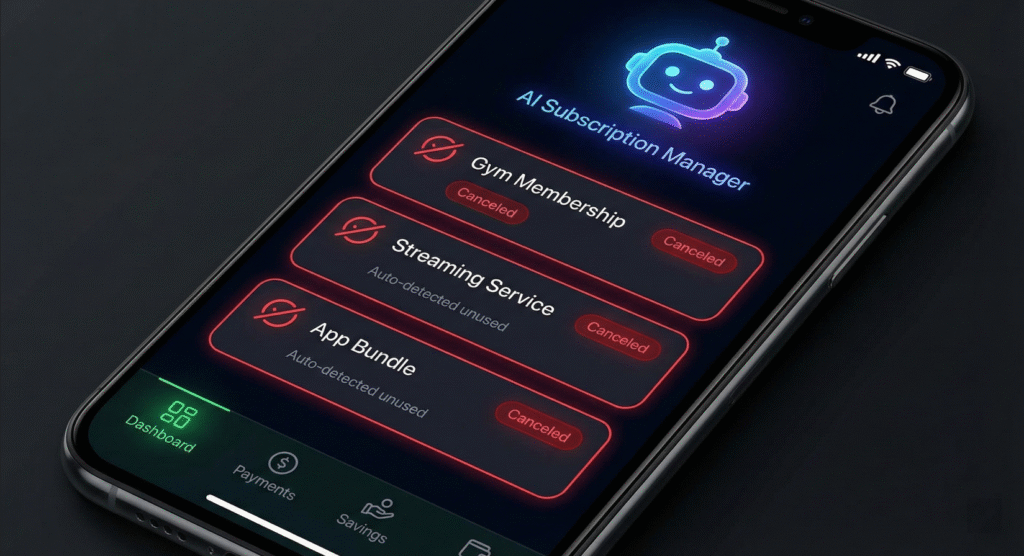
Maximizing Savings: Pro Tips for AI Banking Apps
Tip #1: Combine Multiple AI Banking Apps Strategically
The most successful users combine AI banking apps for different purposes:
- Rocket Money for subscriptions
- Cleo for automatic savings
- Trim for bill negotiation
- PocketGuard for spending visibility
Tip #2: Set Realistic Savings Goals
When configuring AI banking apps, set achievable goals. Start with $50/month automated savings rather than $500/month, which might trigger financial stress.
Tip #3: Review Subscriptions Quarterly
Even with AI banking apps monitoring subscriptions, manually review them quarterly. New subscriptions might not register immediately, and you can proactively cancel before charges occur.
Tip #4: Link All Financial Accounts
For complete financial visibility, link all checking, savings, and credit card accounts to your AI banking apps. Partial connections provide incomplete insights.
Tip #5: Enable All Notification Types
AI banking apps provide multiple alert types—low balance, unusual spending, subscription renewals, savings milestones. Enable all notifications initially, then customize based on preference.
The Future of AI Banking Apps: What’s Coming in 2026 and Beyond
AI banking apps continue evolving rapidly. Here’s what’s on the horizon:
Advanced Predictive Capabilities
Next-generation AI banking apps will predict:
- Job loss or income reduction based on employment patterns
- Major expense needs before they occur
- Optimal times to make large purchases
- Investment opportunities aligned with your goals
Integrated Financial Ecosystems
Future AI banking apps will seamlessly integrate:
- Banking + investing + insurance + retirement
- Cryptocurrency management alongside traditional assets
- Real-time tax optimization
- Automated debt payoff strategies
Hyper-Personalization
Advanced AI banking apps will offer:
- Personality-based financial coaching
- Customized saving strategies for your specific behavior
- Predictive spending limits that adjust for life events
- Real-time financial health scores
External Resource: Follow financial technology trends at TechCrunch Finance
Frequently Asked Questions About AI Banking Apps
Can AI banking apps steal my money?
No. Legitimate AI banking apps only have read-only access to your accounts through secure services like Plaid. They can view transactions but cannot withdraw or transfer funds without your explicit approval for each action.
How much do AI banking apps cost?
Most AI banking apps offer free versions with basic features. Premium versions typically cost $6-$15/month. Bill negotiation services take 30-40% of savings secured but charge nothing upfront.
Do AI banking apps work with all banks?
Most AI banking apps work with 10,000+ financial institutions through Plaid integration. Check each app’s website to verify compatibility with your specific bank.
Will using AI banking apps hurt my credit score?
No. AI banking apps checking your account activity does not affect credit scores. In fact, some AI banking apps offer credit-building features that can improve your score over time.
Can I use multiple AI banking apps simultaneously?
Yes! Many users successfully combine AI banking apps—for example, using Rocket Money for subscriptions, Cleo for savings, and Trim for bill negotiation. Each app specializes in different areas.
How long before I see savings results?
Subscription cancellations through AI banking apps show immediate monthly savings. Automated savings accumulate over 2-3 months. Bill negotiations typically complete within 2-4 weeks.
Are AI banking apps safe for my personal information?
Reputable AI banking apps use bank-level 256-bit encryption and never store your banking passwords. They comply with financial data protection regulations and use secure third-party connectors like Plaid.
What happens if I stop using an AI banking app?
You can disconnect AI banking apps anytime. Automated savings and subscriptions you’ve cancelled remain in effect. Simply revoke access through your account settings or bank’s security settings.
The Bottom Line: Can AI Banking Apps Really Save You $1,000+?
Based on extensive user data and real-world results, AI banking apps absolutely can save the average American $1,000+ annually through:
Subscription Cancellations:
- Average forgotten subscriptions: $50-100/month
- Annual savings: $600-$1,200
Bill Negotiations:
- Average bill reduction: $30-50/month
- Annual savings: $360-$600
Automated Savings:
- Average automated savings: $100-200/month
- Annual accumulation: $1,200-$2,400
Fraud Prevention:
- Average prevented fraud losses: $100-500/year
Total Potential Annual Savings: $2,260-$4,700
The key to success with AI banking apps is taking action. Download one app this week, connect your accounts, and let AI technology start working for you. The money you save could fund an emergency fund, vacation, debt payoff, or investment account.